
The Reliable Resource for Impartial Product Insights

Best 5 Wi-Fi Digital Picture Frames of 2026: Share Photos Easily

Owen Carter
By Owen Carter – Research Specialist
Owen Carter is a research specialist at CompareLoft. He builds each guide by comparing manufacturer specifications, safety listings, warranty terms and patterns in verified buyer reviews. CompareLoft does not lab-test products; scores are editorial judgments based on that research. How we review
Updated October 2026

Most of our best photos live on phones and never get looked at again. A Wi-Fi digital picture frame fixes that by putting a rotating gallery on a shelf or kitchen counter, and because new photos arrive over the internet, family members across the country can send pictures straight to a parent's or grandparent's frame without anyone touching a cable or memory card.

The category has matured, but frames still differ in ways that matter. Screen resolution and aspect ratio affect how sharp and how well-cropped your photos look. Some brands include free unlimited cloud storage while others tie extra storage or longer videos to a paid plan. Touchscreens make frames easier to browse but can be confusing for less tech-savvy relatives, and some frames depend entirely on an app while others also accept email, SD cards or USB drives.

To make our picks, we compared manufacturer specifications, subscription and storage policies, warranty terms and recurring patterns in verified buyer reviews for the most popular Wi-Fi frames sold in the US. We did not run our own hands-on trials; scores are editorial judgments based on documented features and how well each frame suits typical gift and family use.

Whether you are shopping for a holiday gift or a way to keep the whole family's photos in one place, the five frames below cover the main styles, from a gallery-look frame for the living room to a large-screen option and a budget touchscreen.


Our Evaluation Standards


Display quality

We compared screen size, resolution, panel type and aspect ratio. A 16:10 or similar widescreen ratio suits modern phone photos, while higher pixel counts keep images crisp at viewing distance.

Photo sharing and storage

We looked at how easily family members can send photos, whether through an app, email or web upload, and at storage: internal capacity, cloud limits and which features require a paid subscription.

Setup and everyday use

A frame is often a gift for someone who will not want to troubleshoot. We weighed setup steps, Wi-Fi requirements, controls, auto-brightness and automatic on/off features.

Design and value

Frames sit in living spaces, so we considered materials, finish options, matting and size alongside what each frame delivers for its class and its warranty terms.

#1 TOP PICK
Rating
9.5 / 10
★★★★★
Display Quality
90%
Photo Sharing
96%
Ease of Setup
94%
Design
95%
Value
86%

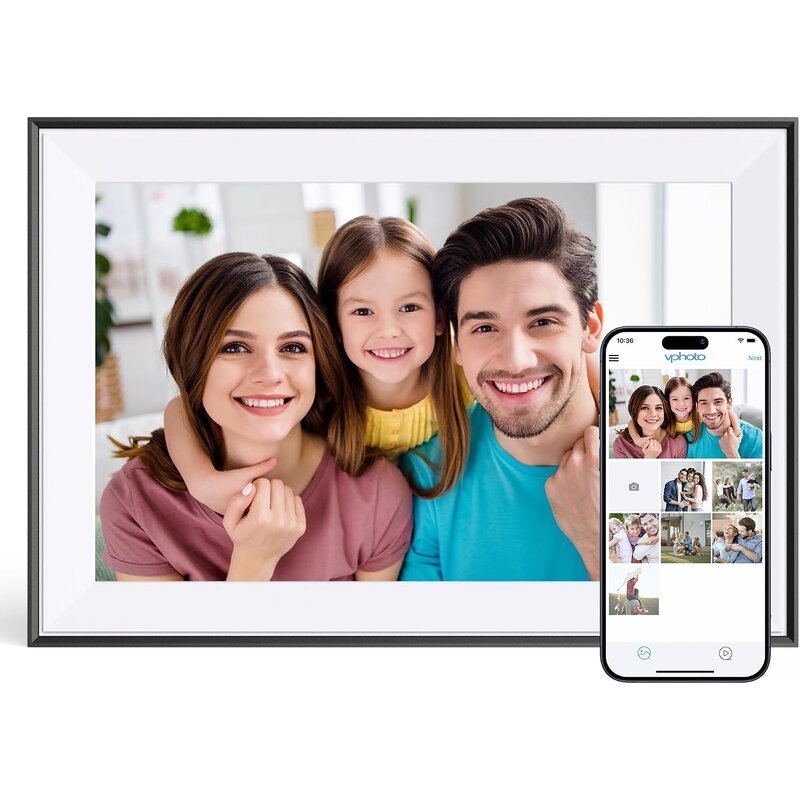
The Aura Carver Mat is our top pick because it nails the two things that make a digital frame worth owning: it looks good on a shelf, and getting photos onto it is effortless. The paper-textured mat border gives it a gallery-print look that blends into decor much better than a typical glossy tablet-style frame, and the angled design sits neatly on a side table or mantel. 🖼️

Sharing is where Aura shines. The free Aura app lets multiple family members add photos and videos from anywhere, and Aura includes cloud photo and video storage with no storage cap and no subscription fees. Photos can also arrive by email, web upload or QR code, so even relatives who do not want another app can still contribute. 😊

Day to day, it runs itself. Intelligent portrait pairing puts two vertical shots side by side so phone portraits are not awkwardly cropped, and the frame plays Live Photos and videos up to 30 seconds through its built-in speaker. Auto brightness and an automatic shut-off in dark rooms mean nobody has to fiddle with settings, which suits grandparents who just want to enjoy the photos. ✨

Controls are kept deliberately simple. Instead of a touchscreen, a touch bar on the frame lets you skip or like a photo, and everything else lives in the Aura app. The frame measures 10.5 x 7.3 x 2.1 inches and weighs 1.61 pounds, so it is easy to move between rooms or set on a narrow shelf. Buyers overwhelmingly praise how easy it is for grandparents to live with.

Compared with the Skylight Frame 2 and Nixplay, the Aura gives up a touchscreen in exchange for a more decor-friendly design and storage with no subscription. The Pix-Star offers a bigger 15-inch screen and card slots, and the Dragon Touch costs less. For multi-person photo sharing with the least effort, the Aura is the most complete package here, especially for families spread across several homes.

The compromises are modest. Resolution is 1280 x 800, which looks clean at normal viewing distance but is not the sharpest on this list, and there is no touchscreen. It needs a 2.4 GHz Wi-Fi network from a broadcast-capable router and has no SD card slot, so every photo arrives through the app, email, web upload or QR code rather than a memory card.

Key Specifications
Screen10.1-inch LCD, 1280 x 800, landscape
StorageUnlimited cloud photo and video storage, no subscription fees
VideoLive Photos and videos up to 30 seconds, built-in speaker
Wi-FiRequires 2.4 GHz broadcast-capable router
Size and weight10.5 x 7.3 x 2.1 in.; 1.61 lb
ControlsTouch bar on the frame plus Aura app

Pros
  • Gallery-style matted design
  • Angled stand sits neatly on a shelf or mantel
  • Unlimited cloud storage with no subscription
  • Multiple family members can contribute photos
  • Photos can also arrive by email, web upload or QR code
  • Pairs portrait photos side by side
  • Plays Live Photos and videos up to 30 seconds with sound
  • Auto brightness and auto shut-off in the dark
  • Simple touch bar to skip or like photos
Cons
  • 1280 x 800 resolution is not the sharpest
  • No touchscreen or SD card slot
  • Needs a 2.4 GHz Wi-Fi network
Wrap-Up

The Aura Carver Mat is best for families who want several people contributing photos to one frame. Its gallery-style matted design pairs portrait photos side by side, and cloud storage with no subscription fees comes with video playback up to 30 seconds, auto brightness and auto shut-off in the dark.
PICK #2
Skylight Digital Picture Frame 2 (10-inch)
Image courtesy of Skylight

Skylight Digital Picture Frame 2 (10-inch)

from Skylight
Rating
9.2 / 10
★★★★★
Display Quality
93%
Photo Sharing
88%
Ease of Setup
92%
Design
86%
Value
84%

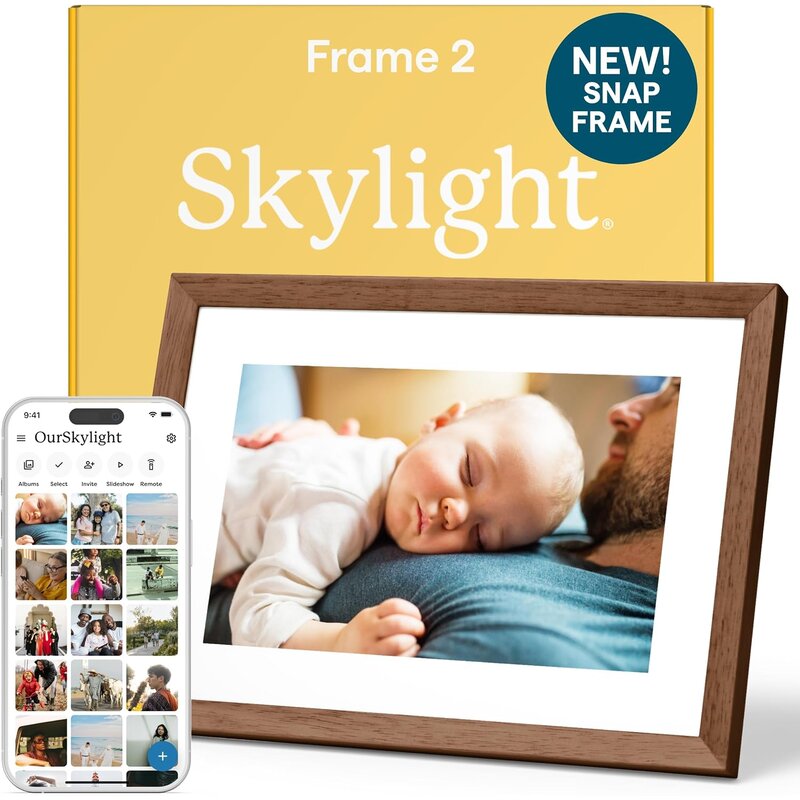
Skylight built its reputation on frames that grandparents can actually use, and the Skylight Frame 2 keeps that focus while upgrading the hardware. The 10-inch IPS touchscreen is sharp and bright with wide viewing angles, and an ambient light sensor adjusts brightness to the room for evening and midday viewing.

Tapping to pause, swipe or heart a photo feels natural for anyone who has used a phone, which makes it more interactive than our top pick. Relatives can react to a new photo right on the frame and the sender sees it, part of the appeal for families who live far apart.

Family members send photos through the Skylight app, and the frame keeps them on 16 GB of internal storage. Skylight states plainly that it has no camera or microphone, which reassures privacy-conscious buyers, and a 7-foot power cable eases placement. Compared with the Aura Carver Mat, it adds a touchscreen but is plainer and a little larger at 11.5 x 8.5 inches.

The main thing to check is which features Skylight places behind its optional paid plan, since some extras are reserved for subscribers. The design is plainer than matted frames, and it weighs 23 ounces. Buyers commonly praise the screen quality and ease of setup, and it is the touchscreen pick that stays approachable for older relatives.


Pros
  • Bright, sharp IPS touchscreen
  • Intuitive tap and swipe controls
  • Relatives can heart photos right on the frame
  • 16 GB of internal storage
  • Ambient light sensor for auto brightness
  • No camera or microphone for privacy
  • Long 7-foot power cable
Cons
  • Some features require an optional paid plan
  • Plainer design than matted frames
PICK #3
Nixplay 10.1-inch Touch Screen Wi-Fi Digital Picture Frame
Image courtesy of Nixplay

Nixplay 10.1-inch Touch Screen Wi-Fi Digital Picture Frame

from Nixplay
Rating
8.8 / 10
★★★★☆
Display Quality
86%
Photo Sharing
90%
Ease of Setup
85%
Design
82%
Value
82%

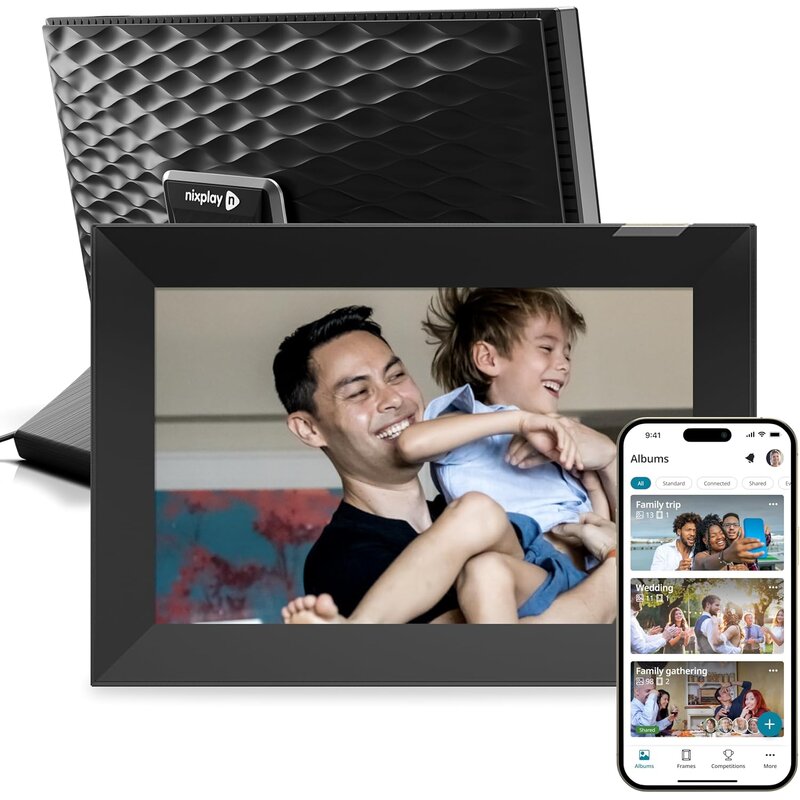
Nixplay's strength is organization. Instead of one big stream of photos, family members using the Nixplay 10.1-inch Touch Screen frame can build and share playlists, so a frame in a parent's home can show a grandkids album one week and a vacation set the next.

Photos can come from the Nixplay app, email or connected services such as Google Photos, Dropbox, Instagram and Facebook, so families who already keep albums in the cloud can point the frame at them instead of re-uploading, with playlists keeping each set separate.

The hardware is well balanced: a 10.1-inch IPS touchscreen at 1280 x 800 and 400 nits in a 16:10 shape, auto-rotate for portrait and landscape, an activity sensor that wakes and sleeps the screen, and a 2-watt speaker for short clips. Compared with the Aura Carver Mat, it adds a touchscreen and shared playlists but puts more behind its paid plan.

The catch is the subscription model. Free accounts get a smaller cloud allowance and videos up to 15 seconds, while 2-minute clips and more storage need a Nixplay Plus plan, which buyers frequently mention when comparing it with Aura. Internal storage is a modest 8 GB, part of it used by the system, and the design is more utilitarian than premium rivals.


Pros
  • Shared playlists for organized family albums
  • Imports from Google Photos, Dropbox and social accounts
  • Bright 400-nit IPS touchscreen
  • Auto-rotate for portrait and landscape
  • Activity sensor for automatic on/off
  • Built-in speaker for video clips
Cons
  • Longer videos and extra cloud storage require a paid plan
  • Modest 8 GB internal storage
  • Design is more utilitarian than premium rivals
PICK #4
Pix-Star 15-inch Wi-Fi Cloud Digital Photo Frame
Image courtesy of Pix-Star

Pix-Star 15-inch Wi-Fi Cloud Digital Photo Frame

from Pix-Star
Rating
8.5 / 10
★★★★☆
Display Quality
80%
Photo Sharing
88%
Ease of Setup
82%
Design
76%
Value
84%

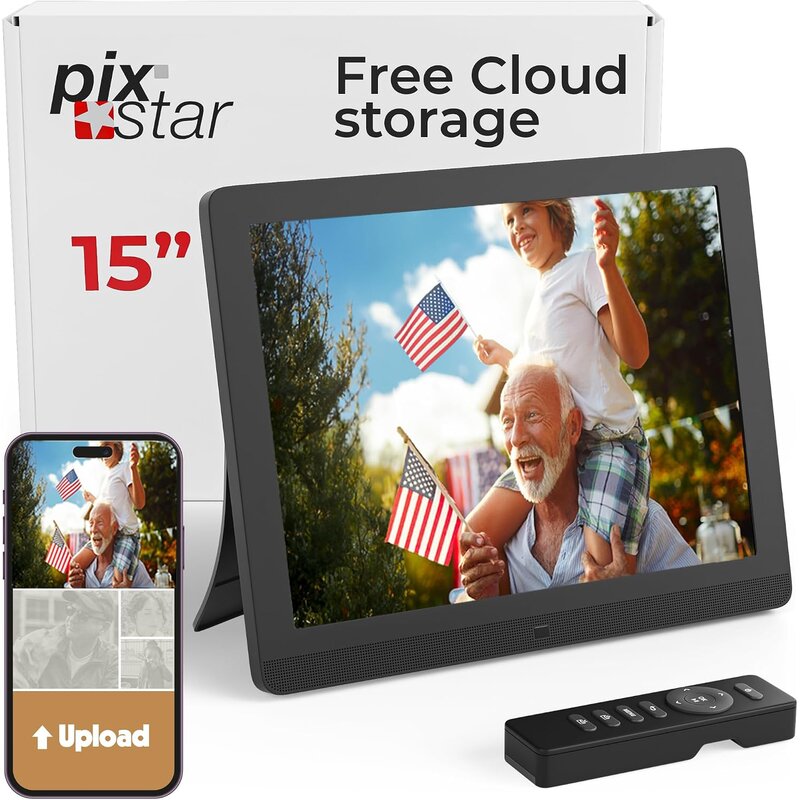
If the person you are buying for has trouble seeing a 10-inch screen from across the room, the Pix-Star 15-inch frame is the one to consider. Its large display is easier to view from a sofa or dining table, and the 4:3 aspect ratio suits older digital camera photos and scanned prints, so family archives fill the screen with less cropping.

It combines Wi-Fi with an SD card slot and a USB port, so photos can still be loaded the old-fashioned way. The 8 GB of internal storage holds about 30,000 pictures, and the frame plays MP4 video and MP3 audio, which suits relatives who would rather plug in a card than use an app.

It is also built for remote management. Photos arrive by email, iOS and Android apps or synced online albums, and one account can manage up to 25 frames, so a tech-savvy relative can look after a grandparent's frame from another state. Pix-Star advertises cloud storage with no cap and no subscription fee.

The trade-off is resolution. At 1024 x 768 across 15 inches, images look softer up close than on the 1280 x 800 Aura, Nixplay and Dragon Touch screens, and the frame is bulkier at 3.2 pounds and 13.9 x 11.4 inches. It connects only to 2.4 GHz Wi-Fi, and buyers call the interface more functional than elegant. For big, easy-to-see photos with flexible loading, it is a smart pick.


Pros
  • Large 15-inch screen for easier viewing
  • SD card and USB slots plus Wi-Fi
  • 8 GB internal storage for about 30,000 photos
  • Manage up to 25 frames from one account
  • No subscription required for cloud storage
  • Plays MP4 video and MP3 audio
Cons
  • Low pixel density at 1024 x 768
  • Bulky and heavier than 10-inch frames
  • 2.4 GHz Wi-Fi only
  • Interface is more functional than elegant, per buyer reviews
PICK #5
Dragon Touch 10.1-inch WiFi Touch Screen Digital Picture Frame
Image courtesy of Dragon Touch

Dragon Touch 10.1-inch WiFi Touch Screen Digital Picture Frame

from Dragon Touch
Rating
8.1 / 10
★★★★☆
Display Quality
80%
Photo Sharing
80%
Ease of Setup
84%
Design
72%
Value
94%

The Dragon Touch 10.1-inch frame offers the core digital-frame experience for much less than the premium brands. You get a 10.1-inch IPS touchscreen at 1280 x 800, the same resolution as the Aura Carver Mat, plus 16 GB of internal storage and support for SD cards and USB drives.

Photos and videos can be sent from a phone through the companion app, and the frame auto-rotates between portrait and landscape. A customizable sleep schedule keeps the screen off overnight, so there is no glowing frame in a bedroom or living room after everyone has gone to bed.

Dragon Touch backs the frame with a two-year warranty, and buyers often describe setup as quick, which makes it practical for several rooms or multiple gifts. Compared with the Skylight Frame 2 and Nixplay, it matches their screen size while adding SD and USB support at a lower cost, though the Aura has the more refined design and the Pix-Star a larger screen.

The compromises show up in polish. The plastic housing looks more like a tablet than a picture frame, the app and on-screen menus are less refined than Aura's or Skylight's, and buyer feedback on long-term app reliability is more mixed. It also connects only to 2.4 GHz Wi-Fi. As a budget touchscreen, it suits buyers who care more about features than finish.


Pros
  • 1280 x 800 IPS touchscreen
  • 16 GB internal storage plus SD card and USB drive support
  • Auto-rotate and sleep scheduling
  • Wireless photo sharing from phones via app
  • Two-year warranty
Cons
  • Tablet-like plastic design
  • App less polished than premium brands
  • On-screen menus less refined than Aura's or Skylight's
  • Mixed buyer feedback on long-term app reliability
  • 2.4 GHz Wi-Fi only

❓ What Is a Digital Picture Frame

A digital picture frame is a screen designed to display a rotating slideshow of photos, and often short videos, in place of a printed picture. Wi-Fi models can receive new photos remotely, so family and friends can send pictures that appear on the frame within moments.

Most frames use an IPS display chosen for wide viewing angles and natural color, set inside a frame that looks like home decor rather than a tablet. Photos arrive through a companion app, email, a web upload or a linked cloud album, and some frames also accept USB drives or memory cards. Settings control slideshow speed, sleep schedules and how portrait and landscape photos are shown.

Designs vary in screen size, aspect ratio and features. Some frames offer motion sensors that wake the display when someone walks by, ambient light sensors that adjust brightness, touch controls, and the ability to let many family members contribute. Subscription features differ by brand, so it is worth checking what is free.

Digital frames are popular as gifts for grandparents and relatives who do not use social media, for shared family displays in kitchens and living rooms, and for small businesses that want a simple rotating display.

⭐ Benefits of Digital Picture Frame

Things To Consider When Choosing the Best Digital Picture Frame

What To Avoid When Choosing Digital Picture Frame

Discover Top Digital Picture Frame
Owen Carter
Owen Carter – Research Specialist
Owen Carter is a research specialist at CompareLoft. He builds each guide by comparing manufacturer specifications, safety listings, warranty terms and patterns in verified buyer reviews. CompareLoft does not lab-test products; scores are editorial judgments based on that research.