The Reliable Resource for Impartial Product Insights

Best 5 External Hard Drives and Portable SSDs of 2026

Owen Carter
By Owen Carter – Research Specialist
Owen Carter is a research specialist at CompareLoft. He builds each guide by comparing manufacturer specifications, safety listings, warranty terms and patterns in verified buyer reviews. CompareLoft does not lab-test products; scores are editorial judgments based on that research. How we review
Updated October 2026

Phones shoot 4K video, game installs routinely pass 100GB, and laptops still ship with surprisingly small internal drives. An external drive is the simplest way to back up a computer, carry a project between machines or free up space without paying a monthly cloud fee.

The first decision is the type of drive. Portable SSDs use flash memory, so they are small, fast and tolerate bumps well. They are the right choice for editing photos and video directly from the drive, moving large files quickly or expanding a gaming console. Traditional portable hard drives spin platters inside; they are slower and more fragile, but they still offer far more storage for the money, which makes them excellent for backups and archives that you do not touch every day.

For this guide we compared manufacturer specifications for transfer speed, interface, capacity options, ruggedness ratings, encryption and warranty, plus recurring themes in verified buyer reviews on major retailers. We did not run our own benchmarks; scores are editorial judgments based on that published information and how well each drive fits a particular use.

Below are our five picks, a comparison table, a buying guide that explains interface speeds in plain English, and answers to common questions.


Our Evaluation Standards


Real-world speed and interface

A drive's advertised speed only matters if your computer can use it. We looked at the USB standard each drive needs to reach its rating and how that matches typical laptops and desktops.

Capacity and cost per terabyte

We considered the range of sizes available for each model. SSDs score higher on speed, while hard drives earn credit for offering large capacities that suit full-system backups.

Durability

Published drop ratings, IP dust and water ratings and crush resistance matter for drives that travel in backpacks and camera bags.

Security and warranty

Hardware encryption with password protection helps keep data private if a drive is lost. Warranty length, which ranges from two to five years here, signals how long the maker stands behind it.

#1 TOP PICK
Samsung T7 Shield Portable SSD
Image courtesy of Samsung

Samsung T7 Shield Portable SSD

from Samsung
Rating
9.4 / 10
★★★★★
Speed
86%
Durability
92%
Capacity Options
84%
Portability
94%
Value
90%

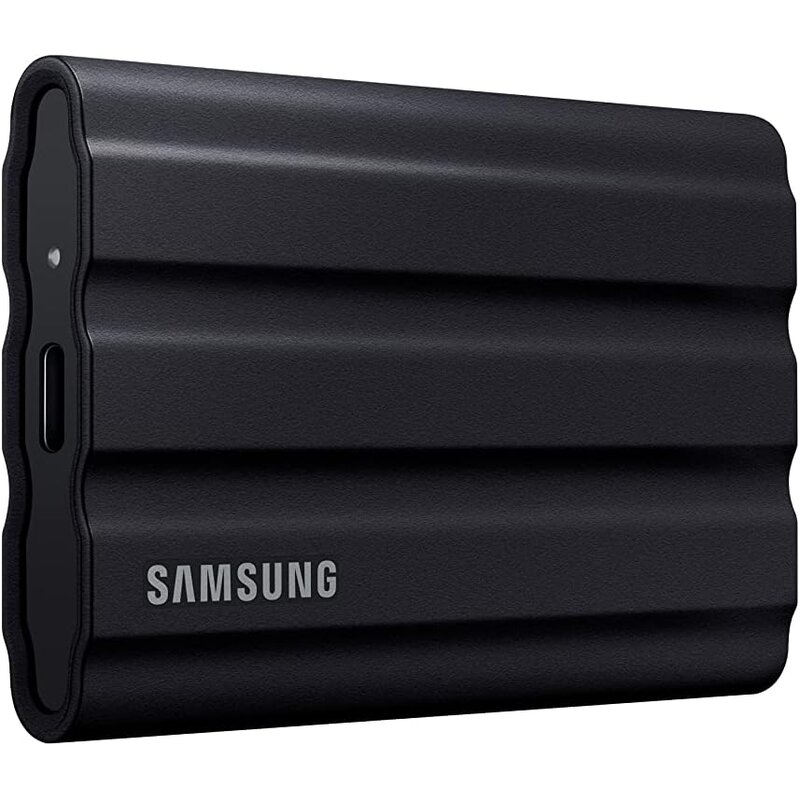
The Samsung T7 Shield is the portable SSD we would recommend to most people because it hits the sweet spot between speed, toughness and compatibility. Samsung rates it at up to 1,050 MB/s read and 1,000 MB/s write over USB 3.2 Gen 2, the 10Gbps standard found on most modern laptops, so the majority of buyers will see close to its full performance without special ports. 💾

That compatibility matters more than it might sound. Because 10Gbps is so widely supported, the T7 Shield delivers its rated speed on far more computers, including Macs, than drives built around faster 20Gbps ports. Buyer reviews also frequently mention consistent sustained performance during long transfers, which matters for video work, where a drive that slows down partway through a big copy wastes real time. ⚡

Its rubberized shell is the main reason it stands out from the standard T7. Samsung certifies it to IP65 for dust and water resistance and rates it for drops of up to three meters, roughly 9.8 feet. That makes it a sensible pick for photographers, travelers and students who toss a drive in a bag every day and cannot always treat it gently. 🎒

Setup is simple. AES 256-bit hardware encryption is built in, and Samsung includes both USB-C to C and USB-C to A cables, so it works with older computers as well as newer ones without adapters. It comes in 1TB, 2TB and 4TB sizes, so you can match the capacity to how much you need to carry, and the compact, light body slips easily into a pocket or laptop sleeve.

Compared with the Crucial X10, the T7 Shield is about half as fast on 20Gbps ports but delivers its full speed on far more computers. The SanDisk Extreme matches its speed and adds a longer warranty, while the WD My Passport and LaCie Rugged Mini offer bigger capacities at much lower speeds. The T7 Shield is the balanced all-rounder for people who want one drive that works well almost everywhere.

The limitations are modest. 4TB is the top capacity, and faster 20Gbps drives exist for people with compatible ports. Samsung's warranty is three years, and the company states that physical drop damage is not covered, so the drop rating is a design feature rather than a guarantee. For most laptop owners, it remains the easiest fast drive to recommend.

Key Specifications
Sequential speedUp to 1,050 MB/s read / 1,000 MB/s write
InterfaceUSB 3.2 Gen 2 (10Gbps), USB-C
RuggednessIP65, drops up to 9.8 ft (3 m)
Capacities1TB, 2TB, 4TB
EncryptionAES 256-bit hardware
Warranty3-year limited

Pros
  • Up to 1,050 MB/s read and 1,000 MB/s write
  • Full 10Gbps performance on most laptops, Macs included
  • Buyers report consistent sustained speed on long transfers
  • IP65 dust and water resistance
  • Rated for drops up to 9.8 feet
  • Hardware AES 256-bit encryption
  • Includes USB-C to C and USB-C to A cables
  • Available in 1TB, 2TB and 4TB
  • Compact and light
Cons
  • Tops out at 4TB
  • Slower than 20Gbps drives on compatible hosts
  • Drop damage is excluded from the warranty
Wrap-Up

The Samsung T7 Shield is the best all-around portable drive for most laptop owners. It delivers up to 1,050 MB/s over 10Gbps USB, and its IP65 dust and water resistance, 9.8-foot drop rating and hardware AES 256-bit encryption help protect your files on the go.
PICK #2
Crucial X10 Portable SSD
Image courtesy of Crucial

Crucial X10 Portable SSD

from Crucial
Rating
9.2 / 10
★★★★★
Speed
97%
Durability
90%
Capacity Options
94%
Portability
92%
Value
84%

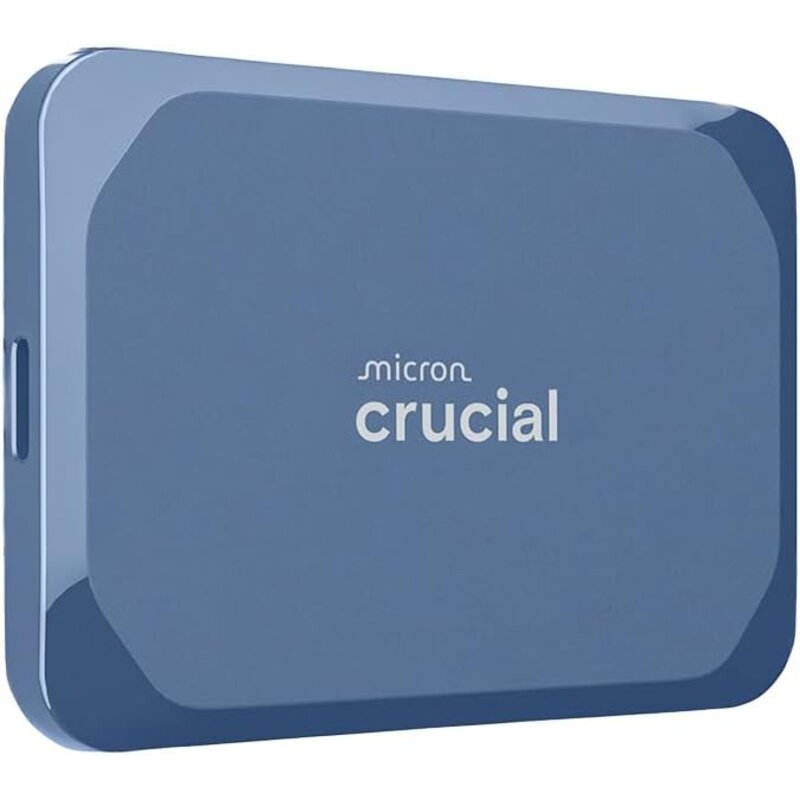
The Crucial X10 is the speed pick in this group. Crucial rates it at up to 2,100 MB/s read, roughly double the T7 Shield, because it uses the USB 3.2 Gen 2x2 standard that runs at 20Gbps. For video editors moving very large folders, that can cut transfer times significantly when the computer has the right port.

There is an important catch. Gen 2x2 ports are common on many Windows desktops and some laptops, but most Macs, including Apple silicon models, do not support that mode and will run the drive at 10Gbps. You still get a fast, well-built SSD, but check your computer's port specifications before paying extra for this tier.

Beyond speed, the X10 is impressively compact for a drive offered from 1TB up to 8TB, with an IP65 dust and water rating and a three-meter drop rating that match the T7 Shield. It works with Windows, Mac, Android, iPad, Linux and current game consoles, so one drive can serve several devices in a household.

Crucial also sells the X10 Pro, and several similar Crucial models can confuse shoppers, so compare model numbers carefully. The three-year warranty matches Samsung's but is shorter than SanDisk's five years. For PC users with a 20Gbps port it is the clear speed upgrade; without a Gen 2x2 port, you pay for performance your computer cannot use.


Pros
  • Up to 2,100 MB/s on 20Gbps ports
  • Roughly double the rated read speed of 10Gbps drives
  • Available from 1TB up to 8TB
  • IP65 dust and water rating
  • Three-meter drop rating
  • Very small for its capacity
  • Works with Windows, Mac, Android, iPad, Linux and current consoles
Cons
  • Most Macs, and PCs without a Gen 2x2 port, cannot reach its top speed
  • Several similar Crucial models, including the X10 Pro, can confuse shoppers
PICK #3
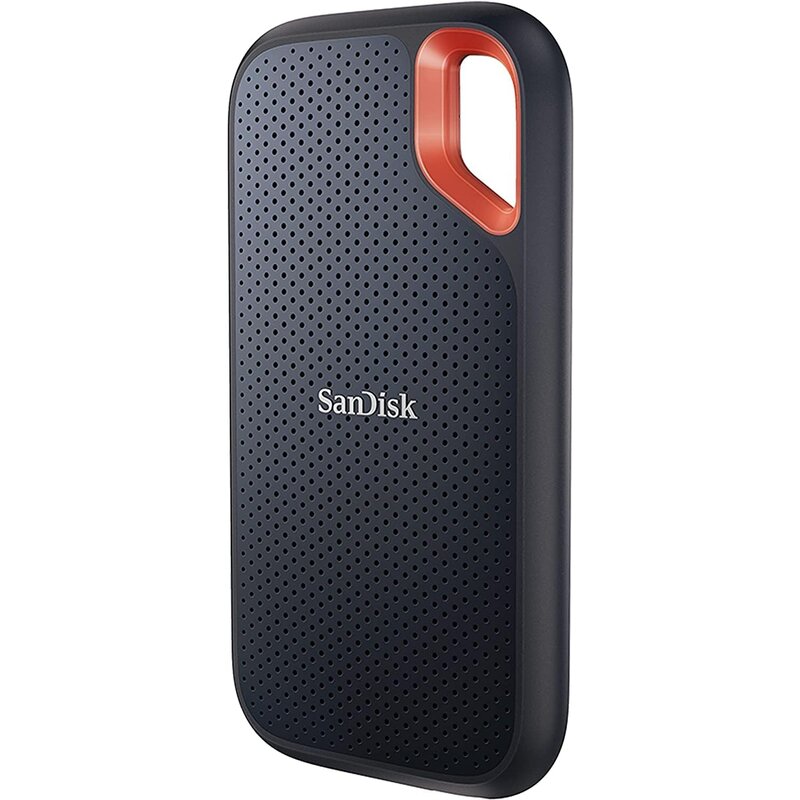
SanDisk Extreme Portable SSD
Image courtesy of SanDisk

SanDisk Extreme Portable SSD

from SanDisk
Rating
9.0 / 10
★★★★☆
Speed
86%
Durability
90%
Capacity Options
80%
Portability
95%
Value
88%

The SanDisk Extreme Portable SSD has been a top seller for years and remains a strong alternative to the T7 Shield. SanDisk rates it at up to 1,050 MB/s read and 1,000 MB/s write over a 10Gbps USB 3.2 Gen 2 connection, so it delivers its full speed on most laptops, Macs included.

Its biggest advantage is the five-year warranty, two years longer than Samsung and Crucial offer on the drives above. For photographers and students who keep one drive in service for several years, that extra coverage is a practical reason to choose it over a drive with similar speed and toughness ratings.

A carabiner loop molded into the rubberized shell lets you clip it to a bag, and SanDisk rates it IP65 with a three-meter drop rating. Hardware 256-bit AES encryption with optional password protection is supported, and the box includes a USB-C cable plus a USB-A adapter. The Crucial X10 is faster on 20Gbps ports and offers more capacity options.

There are two things to know. SanDisk sells newer Extreme models alongside this one, and Amazon labels some SDSSDE61 listings as the older model, so confirm the part number. Earlier production also drew failure complaints that SanDisk addressed with a firmware update, and current listings note updated firmware; running the latest firmware is a sensible precaution with any SSD.


Pros
  • Five-year limited warranty
  • Full 10Gbps speed on most laptops
  • IP65 rating and three-meter drop rating
  • Carabiner loop for clipping to bags
  • Hardware encryption with password option
  • Includes a USB-C cable plus USB-A adapter
Cons
  • Multiple generations on sale can be confusing
  • Past firmware issues mean you should update before use
  • Fewer capacity options than the Crucial X10
PICK #4
WD My Passport Portable Hard Drive
Image courtesy of Western Digital

WD My Passport Portable Hard Drive

from Western Digital
Rating
8.6 / 10
★★★★☆
Speed
52%
Durability
60%
Capacity Options
96%
Portability
82%
Value
95%

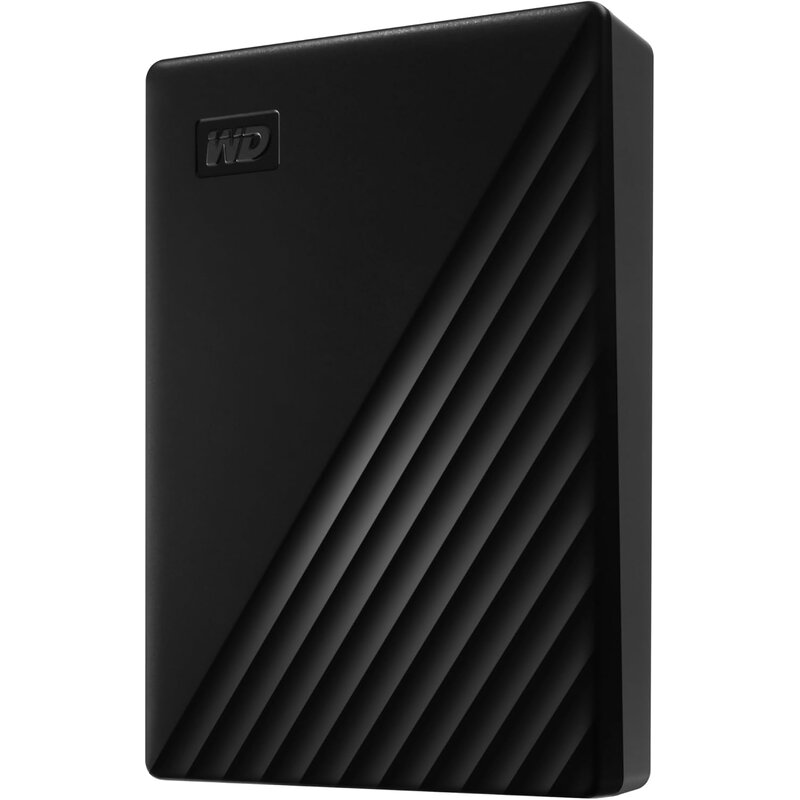
If your main goal is backing up a whole computer or archiving years of photos, a spinning portable hard drive still offers far more space for the money than an SSD. The WD My Passport is the best-known example, and the current lineup reaches 6TB in a pocketable, bus-powered case that needs no wall adapter.

WD includes 256-bit AES hardware encryption with password protection, uncommon on budget hard drives, along with backup software that runs on Windows. That makes scheduled backups easy for a family computer or home office, and the password adds security if the drive is ever lost.

It connects over USB 3.2 Gen 1 at 5Gbps, with versions offering a USB-A cable and adapter or USB-C, and carries a three-year warranty. Compared with the SSDs here, it trades speed and toughness for value per terabyte, while the LaCie Rugged Mini adds drop and crush resistance plus a recovery service.

The trade-offs are inherent to hard drives. Transfers are much slower than any SSD, fine for overnight backups but frustrating if you want to edit video from the drive. Spinning disks are also more vulnerable to drops, especially while running, so this is a desk drive rather than one for rough travel. Mac users should note it ships formatted for Windows and may need reformatting.


Pros
  • Large capacities up to 6TB
  • Hardware encryption with password protection
  • Bus-powered, no wall adapter needed
  • Included backup software
  • USB-A and USB-C versions for older and newer computers
  • Strong value per terabyte
Cons
  • Much slower than portable SSDs
  • Too slow for editing video directly from the drive
  • More vulnerable to drops than flash drives
  • Mac users may need to reformat
PICK #5
LaCie Rugged Mini Portable Hard Drive
Image courtesy of LaCie

LaCie Rugged Mini Portable Hard Drive

from LaCie
Rating
8.3 / 10
★★★★☆
Speed
50%
Durability
82%
Capacity Options
82%
Portability
80%
Value
80%

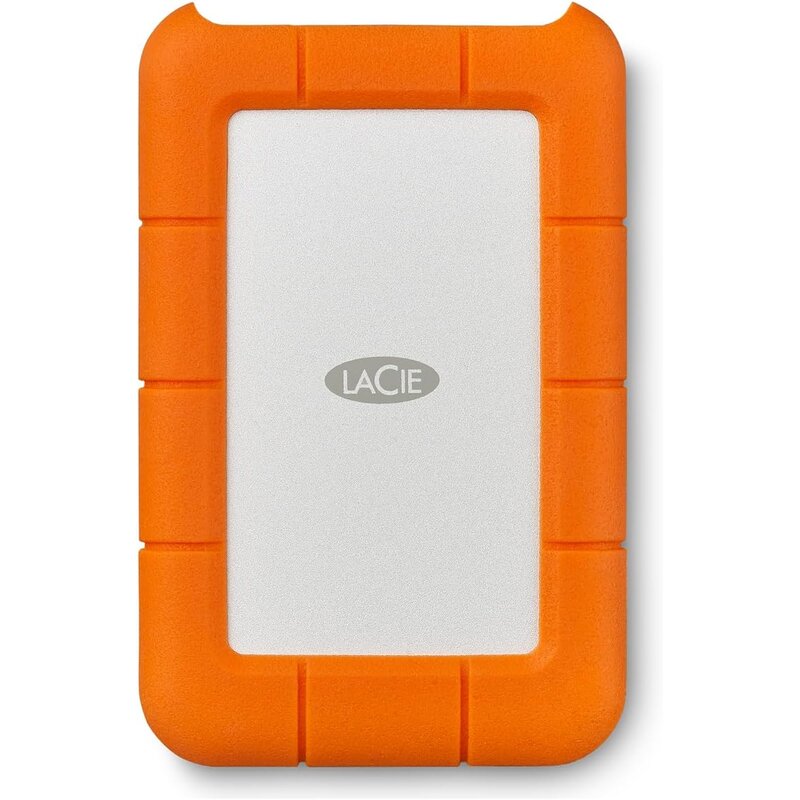
The LaCie Rugged Mini, with its orange rubber bumper, is a familiar sight in camera bags and on film sets. It pairs hard-drive capacity with more physical protection than standard portable HDDs: LaCie, now part of Seagate, rates it for drops of up to four feet, up to one ton of pressure and rain resistance.

The most valuable extra is Rescue Data Recovery Services. If the drive fails or is damaged, the plan covers an attempt at professional recovery, which matters for freelancers and hobbyists storing one-of-a-kind photos or footage, since replacing a drive does not bring back its files.

Capacities reach 5TB, and it works with Mac and Windows computers plus newer USB-C iPads and iPhones, so photographers can offload cards on location and carry footage home in a case that handles a knock or rain. The WD My Passport offers up to 6TB and hardware encryption instead.

It ranks fifth because the hardware is a conventional USB 3.0 hard drive. Speeds are far below any SSD, and a four-foot drop rating is less than the three-meter ratings on our rugged SSD picks. Retailers list a two-year warranty, shorter than the others here. Choose it for lots of storage in the field plus the recovery service; choose an SSD when speed matters.


Pros
  • Rescue Data Recovery Services included
  • Drop, crush and rain resistance
  • Capacities up to 5TB
  • Works with Mac, Windows and USB-C iPads
  • Recognizable, easy-to-find design
Cons
  • Slow compared with portable SSDs
  • Conventional USB 3.0 interface
  • Lower drop rating than rugged SSDs
  • Tops out at 5TB, below the WD My Passport's 6TB
  • Shorter two-year warranty

❓ What Is an External Hard Drive

An external hard drive is a storage device that connects to a computer, game console or tablet by cable and holds files outside the device's internal storage. It is used to back up data, move large files between machines and expand space without opening the computer.

There are two main types. Traditional hard disk drives store data on spinning magnetic platters, offering large capacities at a low cost per terabyte, which suits backups and media archives. Portable SSDs use flash memory with no moving parts, so they are much faster, smaller, quieter and better able to survive bumps and drops, though they cost more per terabyte.

Connection type shapes real-world speed. USB-C and Thunderbolt connections let fast SSDs reach their full speed, while older USB ports can become a bottleneck. Portable drives draw power from the cable, whereas larger desktop drives need a separate power adapter. Some models add rugged shells, water resistance, hardware encryption or bundled backup software.

External drives are used by photographers and video editors working with large files, students and office workers carrying projects between computers, gamers expanding console storage, and anyone keeping a local backup of important documents and photos. Many people keep two drives so that one backup copy can be stored in a separate location.

⭐ Benefits of External Hard Drive

Things To Consider When Choosing the Best External Hard Drive

What To Avoid When Choosing External Hard Drive

Discover Top External Hard Drive
Owen Carter
Owen Carter – Research Specialist
Owen Carter is a research specialist at CompareLoft. He builds each guide by comparing manufacturer specifications, safety listings, warranty terms and patterns in verified buyer reviews. CompareLoft does not lab-test products; scores are editorial judgments based on that research.